🎉 Thank you for installing
Site Audit Tool
Here's how to get started in 3 quick steps:
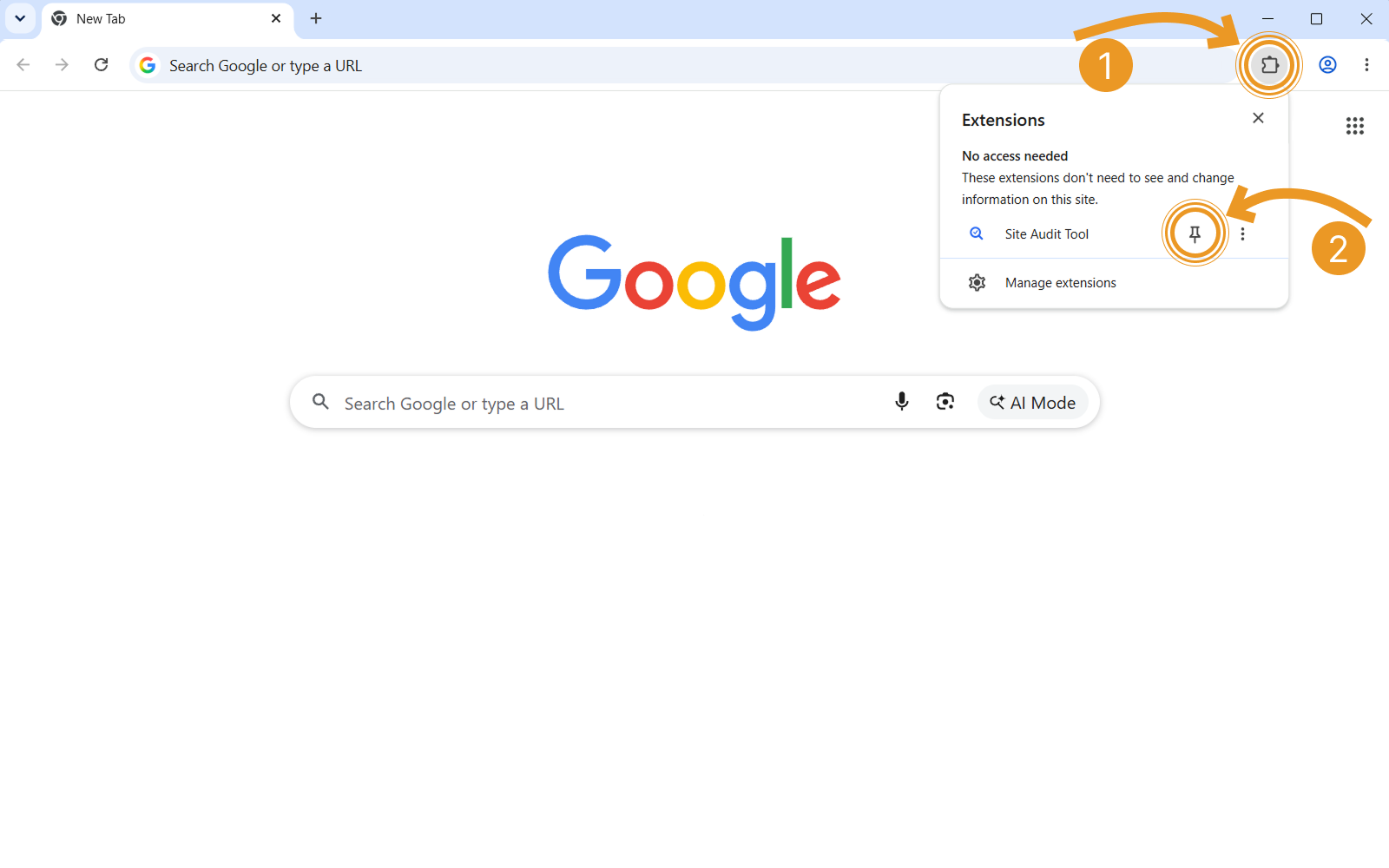
1. Pin the extension for quick access
Click the puzzle piece (1) in the top-right of your browser,
then click the pin (2) next to Site Audit Tool.
2. Run an audit on any page
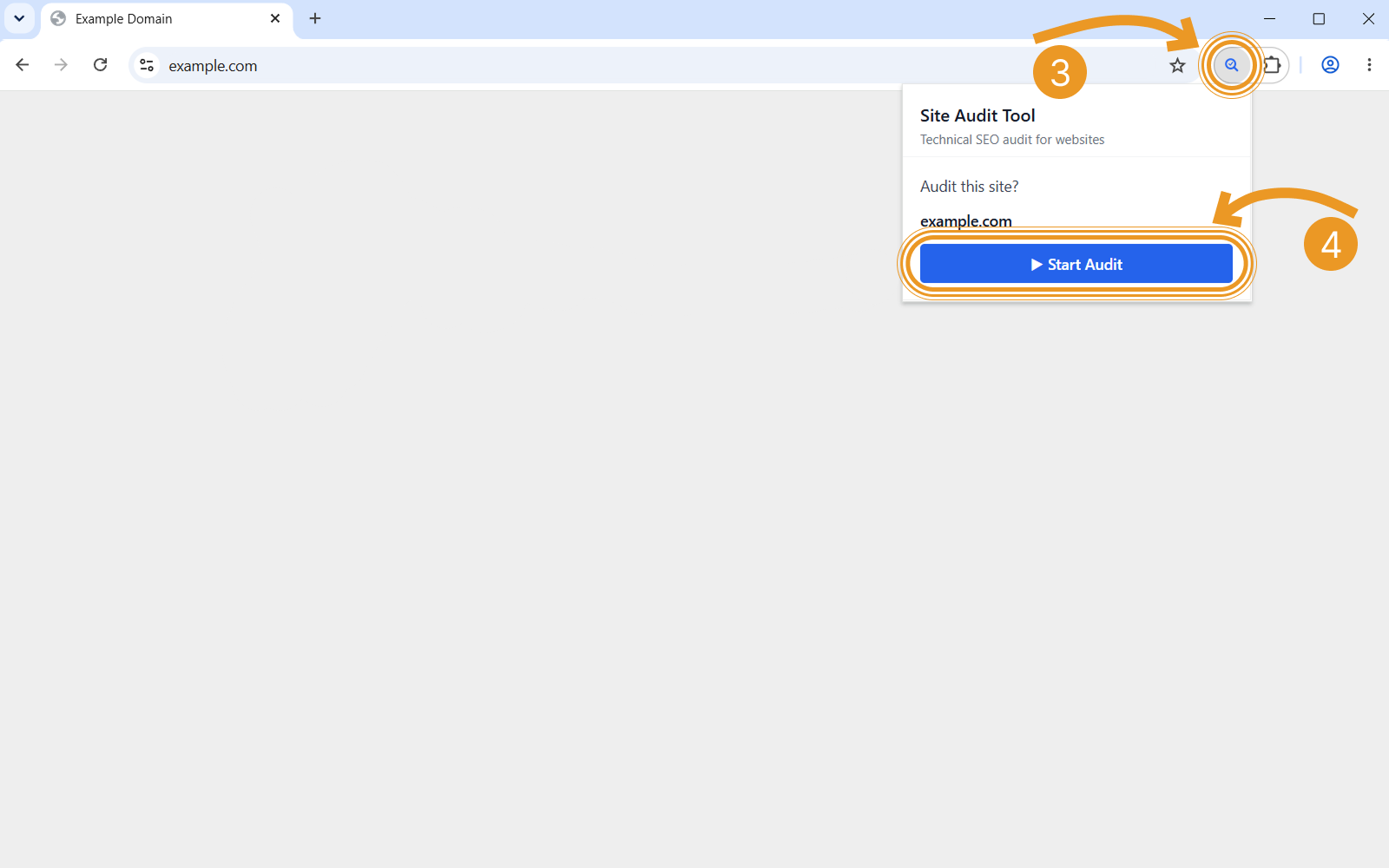
Open any website, click the Site Audit Tool icon (3),
and click ▶ Start Audit (4) to scan the whole site.
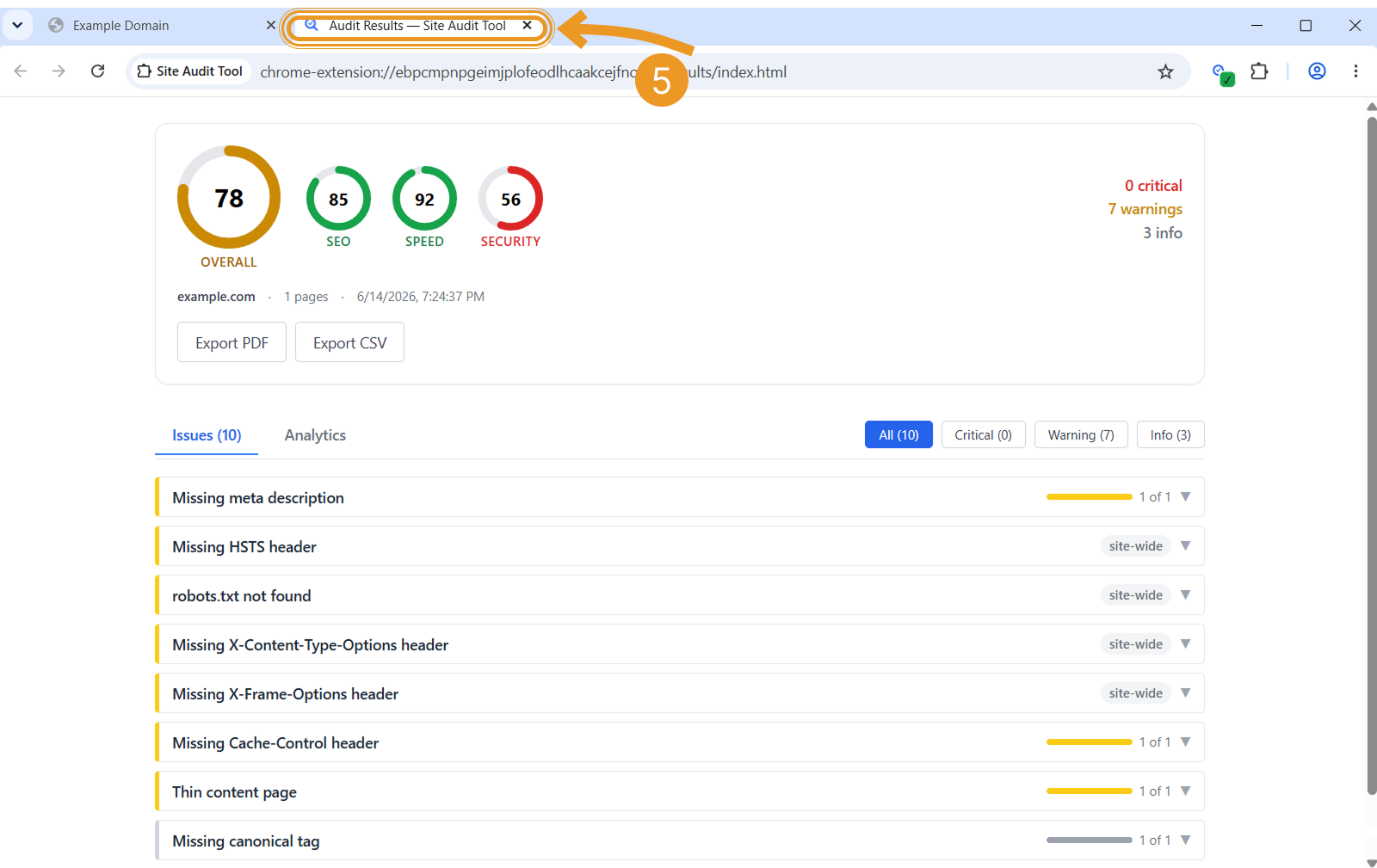
3. Read your report in a new tab
When the audit finishes, your full report opens automatically in a new browser tab. Switch to that tab (5) to explore every issue in detail and export the results to PDF or CSV.